Five TSP Journals Included in China’s 2025 List of World’s Leading Sci-Tech Journals
CJU Editor-in-Chief Receives 2026 AUA Lifetime Achievement Award
Canadian Journal of Urology Now Indexed in Clarivate’s BIOSIS Databases
Revue Internationale de Géomatique Accepted for Inclusion in Scopus
Tech Science Press Announces the Latest Enhancements to the Intelligent Journal System (IJS)

Section 1 Recommended search method
In the home page of the Web of Science, the Basic Search looks as follows:

Click on “Advanced Search” to bring up the “Query Preview” box to type in the search patterns, e.g., type “so=(cmes*) and py=(2019 or 2020)”:
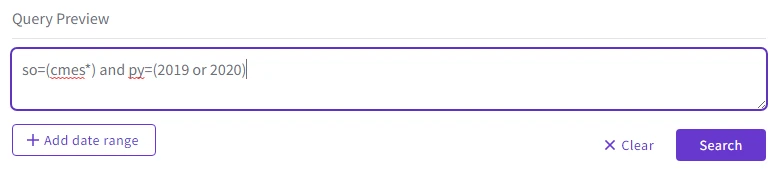
Click on “Search” to see the results.
To search certain topic, e.g., deep learning, in the CMES in the Web of Science database, a most efficient method is to specify the source (journal title) as “cmes*”, i.e., all in lowercase followed by the wildcard “*” (star), as shown in the search example below on 2020.02.11:
ts=(deep learning) and so=(cmes*)
|
Section 2 Correct search methods
The correct and simplest search method is to declare the source (journal title) as “CMES*”. The wildcard star “*” at the end of “CMES” is important for the search to be successful:
ts=(deep learning) and so=(CMES*) and py=(2019)
ts=(deep learning) and so=(CMES*)

The journal title can be in lowercase, e.g.,
ts=(deep learning) and so=(cmes*)
|
It is possible to cite the source with the full journal name, with or without hyphen, but that is long and mistyping is easy:
ts=(deep learning) and so=(cmes computer modeling in engineering & sciences)
ts=(deep learning) and so=(cmes-computer modeling in engineering & sciences)

Section 3 Incorrect search methods
ts=(deep learning) and so=(computer modeling)
ts=(deep learning) and so=(CMES-computer modeling)
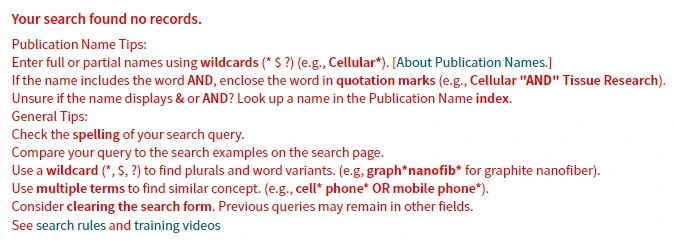

The following search also did not work:
ts=(deep learning) and so=(*computer modeling in*)
ts=(deep learning) and so=(computer modeling in*)

 Login
Login Register

